

How to Buy Burning Man Tickets Successfully | Strategy, Prep & Real Buyer Tips (2026)
This guide turns ticket day from a panic sprint into a repeatable process by focusing on verified Burner Profiles, payment readiness, and calm queue behavior. It explains server‑side queue mechanics, timing strategies, and team buying best practices so buyers from the USA and around the world improve their odds without chasing myths. Real buyer lessons, a compact playbook, and downloadable checklists translate strategy into action for Main Sale, Community Sale, and Last Chance windows.
Buying Burning Man tickets is less about frantic clicks and more about disciplined preparation. This strategy guide shows experienced and first‑time burners how to organize their Burner Profile, verify identity, and set up payment so they arrive at ticket day ready rather than reactive.
It clarifies the randomized queue, explains why multiple tabs and ultra‑fast internet are poor substitutes for verified accounts and one clean browser session, and lays out team buying roles, timing tactics, and recovery steps for payment failures.
The aim is realistic: no guarantees, only higher probability through process, not panicked hacks. Readers will find step‑by‑step checklists, timing and timezone tips for international buyers, examples from real purchases, and templates for group coordination—everything needed to treat ticket day as a practiced operation instead of a gamble.
- Burner Profile
- Verification and email confirmation
- Main Sale, Community Sale, Last Chance
- Virtual queue and waiting room
- Payment methods, 3D Secure, backup card
- Team buying strategy and roles
- Time‑zone conversion and clock sync
- MyTickets and official ticketing help
Why Buying Burning Man Tickets Feels So Competitive
Buying Burning Man tickets is emotional and high‑stakes because a fixed number of passes meets a global crowd all trying at the same moment. The result is pressure, confusion, and a flood of myths about shortcuts. This section names the real forces at work, so readers replace panic and superstition with a practical plan.
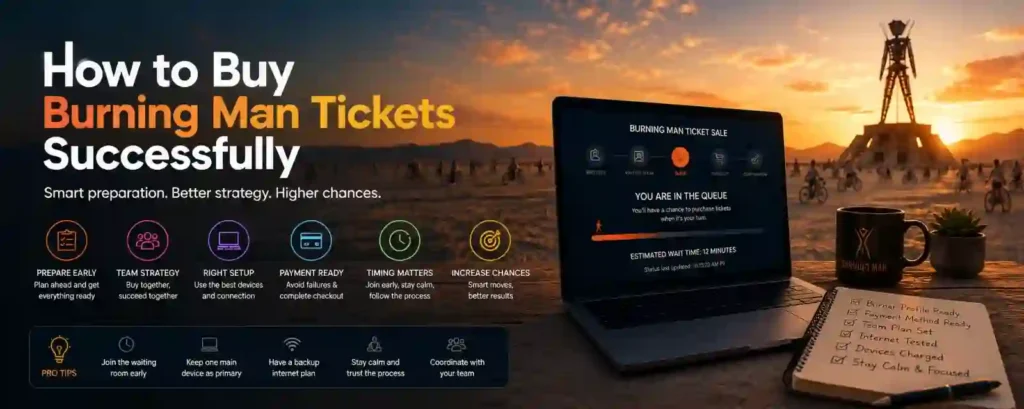
- Beginner: Understand the process and why it’s hard.
- Strategy: Learn how preparation and timing improve odds.
- Technical: Discover what causes failures and how to avoid them.
- Emotional: Reduce stress by setting realistic expectations.
- Practical: Know exactly what to prepare ahead of ticket day.
Why buying feels competitive — Key points
- Limited ticket supply
- Inventory is finite for Main Sale, Community Sale, and Last Chance; not everyone who wants a ticket will get one.
- Global demand concentrated in short windows
- Thousands of buyers worldwide log in at the same scheduled times, creating intense simultaneous load.
- Thousands competing simultaneously
- High concurrent traffic triggers virtual queues and staged admissions to keep the system stable.
- Random queue system increases perceived unfairness
- Server‑side randomization and batch admissions mean early page load doesn’t equal priority; it feels arbitrary to newcomers.
- High excitement and real stress
- The emotional mix of anticipation, fear of missing out, and group coordination (camp mates, friends) amplifies mistakes under pressure.
- Think of it like applying for a limited number of school admission seats where thousands of parents submit at once: being prepared, organized, and calm increases the chance of success — frantic hacks do not.
Why Many First‑Timers Fail
- Lack of preparation
- Creating accounts, verifying email, or testing payment on sale morning leaves no buffer for errors.
- Missing registration windows
- Not registering in the official eligibility window removes access to that sale phase entirely.
- Payment issues at checkout
- Expired cards, insufficient limits, and slow bank authentication commonly cause failed purchases.
- Panic during the queue
- Refresh storms, multiple sessions, or last‑minute edits often produce session conflicts or rate limits.
- Believing internet myths
- Myths like “more tabs = better,” “super‑fast internet guarantees success,” or “refresh faster” mislead buyers and create avoidable failures.
The Truth About “Winning” Ticket Sales
- What actually helps you succeed
- Preparation: verified Burner Profile, correct contact details, and practiced login flow.
- Timing: accurate time‑zone planning, calendar reminders, and device clock sync.
- Organization: payment ready (primary and backup), clear roles for team buys, and a calm checkout plan.
- Acceptance of some randomness: understand the queue can admit users in waves; being admitted is often a matter of probability, not perfect technique.
- Staying calm: focused, deliberate actions during checkout beat frantic reactions.
- What does NOT help (and can hurt)
- Magic tricks: no browser trick guarantees better server placement.
- Constant refreshing: often triggers anti‑spam and drops you from the queue.
- Ultra‑fast clicking: speed matters only for responsiveness; the system controls order server‑side.
“Ticket day rewards the prepared and punishes panic—strategy raises odds, myths lower them.”
Understanding the Burning Man Ticket Sale Process — Build Clarity Before You Click
The ticket sale is a multi‑step system designed to manage huge demand and preserve fairness. This section gives a clear, no‑nonsense map of the purchase flow and explains why preparation must begin well before the sale window so buyers avoid preventable failures.
Understanding the Sale Process — Key points
- Step‑by‑Step Ticket Purchase Flow
- Create Burner Profile.
- Register for the specific sale window (Main Sale, Community Sale, etc.).
- Prepare payment methods (primary and backup, billing info, 3D Secure readiness).
- Enter the official waiting room or sale page within the allowed window.
- Receive randomized queue placement assigned server‑side.
- Get a purchase opportunity when the system admits your batch to the purchase screen.
- Complete checkout quickly, including any bank authentication or 3D Secure steps.
- Receive confirmation email and verify status in the dashboard (MyTickets).
- Why preparation starts weeks earlier
- Registration deadlines: many sale phases require prior registration; missing them removes eligibility.
- Account setup: creating and verifying a Burner Profile ahead of time prevents last‑minute identity or email issues.
- Payment testing: validating cards, checking limits, and preparing bank auth methods reduce risk of checkout failures.
- Internet and device prep: updating browsers, testing connection stability, and disabling disruptive extensions avoid form or session errors.
- Communication planning: for team buys, predefine roles, choose a messaging channel, and prepare a reimbursement plan so coordination during the sale is smooth.
“Ticket day is the final act of preparation—start early, test everything, and treat the sale like a practiced operation.”
Best Preparation Methods Before Ticket Day — Make Ticket Day Predictable, Not Panic
Ticket day rewards preparation. This section gives a practical, step‑by‑step checklist and timing guidance so burners arrive at the Main Sale, Community Sale, or Last Chance windows with verified accounts, ready payments, and a calm setup—turning chance into a repeatable process.
Best Preparation Methods — Key points
Create and Test Your Burner Profile Early
- Login testing: sign in to your Burner Profile several times in the week before sale day to confirm credentials work.
- Password reset testing: run the “forgot password” flow once to ensure reset emails arrive and links aren’t blocked.
- Email access confirmation: verify the email on file, check spam/promotions, and whitelist official senders.
- Browser compatibility: test the profile dashboard in the browser you’ll use for the sale (update browser, disable problematic extensions).
Practical timing: finish this 7–14 days before registration/sale windows to leave time for support if something breaks.
Prepare Your Payment Method in Advance
- Card readiness: confirm cards are valid, not expired, and have sufficient available balance or credit.
- Buffer funds: keep an extra 10–15% on the card to cover fees, taxes, or unexpected add‑ons.
- International permissions: if buying from abroad, ensure the card allows international transactions and won’t auto‑block the purchase.
- Billing address accuracy: verify billing address, ZIP/postal code, and CVV match the issuing bank’s records.
Analogy: like preparing cash and cards before entering a busy market—when it’s your turn, you pay cleanly and quickly.
Browser & Device Setup
- Recommended browsers: use a current, widely supported browser (update to the latest stable release).
- Disable extensions that block popups or interfere with forms (test password manager autofill beforehand).
- Clear cache and cookies the day before the sale to avoid stale session data.
- Use one clean browser window and avoid multiple tabs for the same account to prevent session conflicts.
Choose a Stable Internet Connection
- Stability over raw speed: a steady connection prevents timeouts and dropped sessions more than ultra‑high bandwidth.
- Prefer wired Ethernet when possible; if using Wi‑Fi, ensure signal strength and minimize other devices’ traffic.
- Avoid public Wi‑Fi and unstable mobile networks during checkout; these increase the chance of interruption.
Practice Run and Checklist Rehearsal
- Test login, password reset, and email verification flows well ahead of time—don’t wait until sale day.
- Simulate filling checkout fields (card number, billing address) on a test form to ensure autofill accuracy (do not attempt an actual purchase).
- Rehearse the sequence: log in, open waiting room at the correct time, follow on‑screen instructions, and have payment steps ready.
Prepare a Calm Working Environment
- Quiet room: choose a distraction‑free space for ticket day.
- Charged laptop and backup power: ensure devices are fully charged and have a power plan if needed.
- Fewer distractions: silence notifications, pause downloads/streams, and let household or campmates know you’ll be unavailable.
Relatable example: treat ticket day like an important online exam—setup, test, and execute under calm focus.
“Preparation reduces ticket day to a practiced operation—do the setup early and the sale becomes manageable instead of chaotic.”
How to Increase Your Chances of Getting Tickets — Real, Practical Steps (No Guarantees)
No one can promise a ticket, but realistic preparation measurably improves odds. This section focuses on high‑impact, low‑risk actions: timely waiting‑room entry, a single clean session, ready payments, and avoiding counterproductive technical “hacks.” Treat these as probability boosters, not guarantees.
Increasing Your Chances — Key points
Join the Waiting Room Early
- Enter within the official recommended window (not hours early in multiple sessions).
- Avoid last‑minute panic: being logged in and present when the waiting room activates preserves eligibility.
- Understand randomized placement: early presence ensures you’re in the pool, but server‑side randomization assigns queue positions.
Stay Logged Into Your Burner Profile
- Keep one logged‑in session to avoid login delays or session expiry during the waiting period.
- Test session persistence beforehand—confirm the profile stays active across short reboots or temporary network blips.
- If you must re‑authenticate, do it well before the sale start time.
Keep Payment Information Ready
- Have your primary card physically nearby and billing address details copied into a secure note.
- Keep your mobile phone accessible for OTP or 3D Secure verification—these steps often appear mid‑checkout.
- Know your backup card and be ready to switch quickly if a decline occurs.
Avoid Technical Overcomplication
- Simpler setups often win: one updated browser, one window, and minimal extensions reduce errors.
- Don’t rely on “hacks” like dozens of tabs, auto‑refresh scripts, or parallel sessions for the same account—they frequently cause session conflicts or trigger rate limits.
- Use an extra device only as a contingency with a different verified account, not to duplicate the same session.
H2: Increasing Your Chances — Practical, Non‑Myth Tactics
H3: One Clean Session Rule
- Why it helps: a single logged‑in browser session avoids token conflicts and reduces the risk of being dropped from the queue.
- How to set it up: update your browser, log in, disable disruptive extensions, and keep only one tab open for the sale flow.
H3: Time‑zone Planning and Clock Sync
- Convert sale time to local time and set multiple alarms, accounting for daylight savings if applicable.
- Sync your device clock to an accurate time source (NTP) so your timed actions align with the sale server’s schedule.
- Add calendar alerts and pre‑sale reminders for final checks (profile, payment, practice run).
H3: Queue Psychology — What to Do (and Not)
- Do: stay calm, breathe, follow on‑screen prompts, and keep your session connected.
- Don’t: refresh repeatedly, open duplicate sessions, or make last‑minute profile edits that could trigger verification holds.
- Mental note: treat the waiting room like a lottery line—being admitted is a chance, not a certainty.
H3: Payment Flow Speed Optimization
- Autofill vs manual entry: test autofill accuracy beforehand; if it misfills, prefer quick, correct manual entry.
- Prepare 3D Secure device: have the bank app or phone ready to approve the transaction instantly.
- Bank app open and ready: logging into mobile banking a minute before checkout can shave precious seconds.
“Success on ticket day comes from preparation and calm execution—small, tested actions beat frantic tricks every time.”
Team Buying Strategy Explained — Win as a Group, Not by Chance
Group buys can raise a camp’s collective odds—but they require discipline, clear roles, and clean account management. This section lays out a tested team‑buy playbook so camp leads, ticket managers, and participants coordinate payment, accounts, and communication without tripping ticketing rules or creating preventable failures.
Team Buying Strategy — Key points
H3: Roles and responsibilities
- Assign a single ticket manager who coordinates the buy, tracks receipts, and communicates status to the group.
- Designate a primary payer (the card that will be used) and at least one backup payer.
- Name a buyer for each chunk of tickets (e.g., buyer A handles 2 tickets, buyer B handles 3) so everyone knows their task and profile to use.
- Keep a record‑keeper for reimbursements and a tech lead to run the sale session if needed.
H3: Which account buys which tickets
- Plan which verified Burner Profile will be used for each ticket before sale day to avoid last‑minute confusion.
- Avoid duplicate or merged profiles for the same person; each ticket should map clearly to one verified profile.
- For shared households, decide whether tickets will be split across individual profiles or purchased under a single primary profile following official rules.
H3: Payment & reimbursement coordination
- Agree beforehand whether one card will pay for all tickets (then reimburse) or each buyer uses their own card for their tickets.
- Document every transaction: save confirmation emails, card receipts, and timestamps for audit and reimbursement.
- Use a transparent reimbursement method (bank transfer, Venmo, PayPal, settled receipt) and record who paid what to prevent disputes.
- If transfers or gifting are allowed by policy, understand the official process and timelines for reassigning tickets; don’t invent informal workarounds that risk cancellation.
H3: Communication plan during sale
- Choose a low‑latency, reliable messaging channel (WhatsApp, Signal, or coordinated phone tree) with clearly defined message roles (e.g., “Admitted,” “Checkout started,” “Payment succeeded/failed”).
- Predefine short status messages and who posts them so the team acts quickly and avoids duplicated attempts.
- Have an agreed backup plan if the primary buyer is admitted but payment fails (who switches card, who attempts next).
H3: Avoiding policy traps
- Respect ticket limits per person and household rules; attempts to bypass limits through multiple profiles or false info risk cancellations.
- Do not share login credentials for the same Burner Profile across multiple people; instead, coordinate purchases across legitimately verified accounts.
- Keep all activity within official transfer/resale policies—unauthorized resale or bulk buying for scalping violates community and event rules.
SEO/UX note
- Include a downloadable “Team Buying Sheet” template (CSV/Google Sheet) that lists: buyer name, Burner Profile email, role, card last4, ticket count target, reimbursement status, and confirmation ID columns.
- Provide a printable one‑page flowchart showing who acts when (pre‑sale checks → waiting room → admission → checkout → confirmation).
“A coordinated team beats chaos—clear roles, ready payments, and calm communication turn group buys into wins, not disputes.”
Multi‑Device & Multi‑Browser Strategy — Use Backup Tech Wisely
Multi‑device setups are one of the most searched topics because people assume more screens equal better odds. The reality is nuanced: extra devices can help as contingency plans but also introduce session conflicts, confusion, and mistakes. This section gives a balanced, practical playbook that reduces risk and keeps group buys organized.
Multi‑Device Strategy — Key points
H3: Can you use multiple devices?
- Technically possible: a team can use several devices to attempt purchases.
- Not a guaranteed advantage: server‑side queueing and randomized admission mean extra devices don’t raise server position.
- Can create confusion if unmanaged: multiple devices for the same account increase the chance of session conflicts, duplicate submissions, and accidental logouts.
H3: Multiple Browser Myth vs Reality
Myth vs Fact
- Myth: More tabs guarantee tickets. — Reality: False. Multiple tabs often cause session conflicts.
- Myth: Refreshing helps the queue. — Reality: Usually harmful. Aggressive refreshes can trigger rate‑limits or drop you from the waiting room.
- Myth: Faster clicking guarantees entry. — Reality: False. Server assignment and randomization dominate; organized preparation helps.
- True: Organized preparation helps. — Reality: True. Clean sessions, verified profiles, and ready payments improve real odds.
H3: Risks of using too many devices
- Account confusion: which device uses which Burner Profile or payment method.
- Session conflicts: browsers may overwrite session tokens leading to forced logouts.
- Accidental duplicate actions: submitting multiple orders can trigger automatic blocks or fraud flags.
- Increased stress: juggling many devices increases human error during the checkout timer.
H3: Smart multi‑device setup (if used)
- Use one primary device for each account: set the purchase flow on the primary and treat others as pure backups.
- Backup device as contingency: best practice is one laptop (primary) + one backup device (tablet/phone) logged into a different verified account, not the same account.
- Avoid running the same account across devices simultaneously: this reduces token mismatches and rate‑limit triggers.
- Keep communication clear: assign who reports status (admitted, checkout started, payment succeeded/failed) via a single messaging channel.
- Coordinate payment roles: know which card each device will use to avoid last‑minute confusion.
H3: Practical setup for backups
- Prepare a second verified account per legitimate buyer if you plan redundancy—do not create duplicate accounts for one person.
- Keep backup devices powered, browsers updated, and autofill tested ahead of time.
- Use distinct browser profiles or separate browsers for different accounts (e.g., Chrome profile A, Firefox profile B) to isolate cookies and sessions.
- Test switching between devices in a rehearsal run (login, open dashboard, check MyTickets) so you know the steps under pressure.
“Extra devices are insurance, not turbochargers—used wisely they help recover from failure; used badly they cause it.”
Timing Strategies for Ticket Sales — Be There at the Right Time, Not Rushed
Timing matters more than tricks. This section gives realistic guidance on when to join the waiting room, why arriving earlier isn’t an automatic win, and a practical 24‑hour timeline to reduce stress and maximize readiness for Main Sale, Community Sale, or Last Chance windows.
Timing Strategies — Key points
H3: How Early Should You Arrive in the Waiting Room?
- Follow official timing windows: join within the period the ticketing system designates for waiting‑room entry rather than hours of early preloading in different sessions.
- Avoid last‑minute entry: logging in and joining the allowed window shortly before the start preserves eligibility and prevents frantic last‑minute errors.
- Practical rule: be logged in and ready 5–15 minutes before the official waiting‑room opens (check official guidance), but don’t create multiple sessions trying to game the system.
H3: Why Timing Alone Does NOT Guarantee Success
- Randomized queue: the system often assigns positions server‑side and may randomize admissions—early page load does not equal priority.
- Admission waves: inventories can be released in waves, so being admitted later can still yield success; admission timing is probabilistic, not deterministic.
- Expectation setting: treat timing as necessary preparation (eligibility and presence), not a magic key. Preparation + timing + calm execution raise chances; timing alone does not guarantee a ticket.
H3: Best Pre‑Sale Timeline (24 Hours Before) — Practical Checklist
Night before
- Sleep properly: rest improves focus and reaction time during the checkout timer.
- Charge devices: laptop, phone, and any backup device fully charged; have power cables and a power bank ready.
- Test internet: run a quick speed/stability check, confirm Ethernet or strong Wi‑Fi signal, pause large downloads or backups.
6–12 hours before
- Final profile check: log into Burner Profile and MyTickets to confirm access and that email is verified.
- Payment readiness: confirm card validity, available limit, and that bank app on phone is signed in for 3D Secure/OTP.
- Browser prep: update browser, clear cache if needed, and disable problematic extensions.
1 hour before
- Log in: sign into your Burner Profile and stay logged in; open the official waiting‑room or sale page.
- Open the right tabs: one clean tab for the sale flow; keep help/support or time‑converter tabs in separate windows if necessary.
- Prepare payment: have card and billing details at hand; open bank app on your phone and be ready to approve transactions.
15 minutes before
- Enter the waiting room within the official allowed window and remain in your single logged‑in session.
- Stay calm: close unrelated apps, silence notifications, and notify household/campmates to avoid interruptions.
- Avoid unnecessary refreshing or switching sessions—trust the system prompts and be ready to act when admitted.
At sale start
- Follow on‑screen instructions precisely and complete checkout quickly and accurately if admitted.
- If payment fails, switch to your backup plan immediately (pre‑agreed card or backup buyer) but avoid creating duplicate sessions for the same account.
“Timing gives you the seat at the table; preparation and calmness let you use it.”
Common Mistakes That Kill Chances
Many buyers lose tickets not because of bad luck but because of avoidable mistakes. This section lists the most common errors, explains why they break the purchase flow, and gives quick “fix it now” actions so burners can close gaps before the sale.
Common Mistakes — Key points
H3: Waiting until sale day to prepare — How far in advance should I verify my Burner Profile?
- Problem: creating a profile, verifying email, or checking payment on the morning of the sale leaves no time for support or corrections.
- Why it breaks things: verification delays, support response times, and last‑minute typos can remove eligibility or block checkout.
- Fix it now: create and verify your Burner Profile at least 7–14 days before registration; run a password reset test and confirm email receipt.
H3: Using shared/work emails and weak passwords — Is it OK to use shared or work email for my Burner Profile?
- Problem: shared or temporary emails can miss verification messages; weak or reused passwords increase lockout risk.
- Why it breaks things: missed communications and security holds lead to lost opportunities or forced identity reviews.
- Fix it now: switch to a personal, stable email; use a unique strong password stored in a password manager; whitelist official senders.
H3: Multiple tabs/devices for the same account — Is it OK to use multiple devices for the sale?
- Problem: running the same Burner Profile across many tabs/devices creates session token conflicts and duplicate attempts.
- Why it breaks things: sessions can overwrite each other, trigger rate limits, or cause forced logouts during critical moments.
- Fix it now: commit to one clean browser window per account. If you need redundancy, use a different verified account on the backup device.
H3: Panic refreshing and overload — What should I test the day before the ticket sale?
- Problem: frantic refreshing or automated refresh scripts during the waiting room often do more harm than good.
- Why it breaks things: rate limits, anti‑spam protections, and session drops will remove you from the queue.
- Fix it now: pre‑load the official waiting‑room page within the allowed window and follow on‑screen prompts; do not manually refresh unless instructed.
H3: Ignoring sale rules and ticket limits — Why did my order get canceled or flagged?
- Problem: trying to exceed per‑person or household limits, or using misleading info, risks cancellation.
- Why it breaks things: policy violations can lead to immediate order cancellation and account review, harming future eligibility.
- Fix it now: read the ticketing rules, plan purchases within limits, and document any group coordination so it follows official policies.
H3: Using expired payment cards or insufficient funds — Why did my payment fail during checkout?
- Problem: expired cards, low available credit, or bank blocks on international transactions often cause payment failures.
- Why it breaks things: checkout timers are short—if payment fails the cart returns to inventory quickly.
- Fix it now: check card expiry, increase short‑term limit if needed, add a backup card, and ensure international transactions are permitted.
H3: Overcomplicating the setup with hacks — Do browser tricks or lots of tabs help?
- Problem: trying dozens of browser tricks, auto‑refresh tools, or multiple scripts creates unnecessary complexity.
- Why it breaks things: complexity increases human error and technical conflicts, which multiply under time pressure.
- Fix it now: simplify to one updated browser, one logged‑in session, tested autofill or manual entry, and a calm checkout plan.
Short “Fix It Now” checklist (actionable)
- Create and verify your Burner Profile 7–14 days ahead.
- Use a personal email and unique password stored in a password manager.
- Test password reset and email receipt today.
- Prepare primary and backup cards, verify expiry and limits.
- Choose one modern browser, clear cache, disable disruptive extensions.
- Sync device clock, set calendar alarms, and rehearse the flow once.
- Designate a single buyer or ticket manager for group purchases and document roles.
“Most ticket day disasters are preventable—fix the small stuff early and the sale becomes a procedure, not a panic.”
Payment Failures During Checkout — Critical Fixes for Beginners
Payment failures are one of the most common and painful reasons buyers miss Burning Man tickets. This section explains why failures happen, how to reduce risk in real time, what occurs when the checkout timer expires, and pragmatic backup payment plans so buyers from the USA and worldwide can recover fast.
Payment Failures — Key points
H3: Why payment failures happen
- Bank fraud protection: issuers may block sudden or cross‑border charges as suspicious.
- Insufficient balance or credit limit: available credit or daily limits can cause declines.
- OTP / 3D Secure delays: slow delivery or not seeing the one‑time passcode blocks completion.
- Incorrect billing details: mismatched billing address, ZIP/postal code, CVV, or name will fail verification.
- International transaction blocks: some cards block foreign merchants unless pre‑authorized by the cardholder.
H3: How to reduce payment failure risk (before the sale)
- Notify your bank or card issuer in advance that you’ll attempt a purchase and expect an international/online charge.
- Ensure available credit or balance and temporarily raise short‑term limits if necessary.
- Enable international transactions and confirm your card supports online merchant type.
- Save correct billing address and ZIP/postal code in a secure note; test autofill once to avoid mistakes.
- Have your bank’s mobile app installed and logged in so you can approve 3D Secure or OTP quickly.
H3: Real‑time fixes during checkout
- Switch immediately to a backup card if the primary declines—have a second card’s details ready but do not open multiple sessions for the same account.
- Respond to any bank auth prompts (push notification, SMS, or in‑app approval) without delay to avoid timer expiry.
- If an OTP or 3D Secure code doesn’t arrive, request a resend and use the backup card if the timer risks running out.
H3: What happens if the checkout timer expires
- Cart expiration: the reserved cart is released and tickets return to inventory for other buyers.
- Pending charges: some banks place a temporary hold; check your statement and saved confirmation emails—if no final confirmation arrived, the purchase likely failed.
- Next steps: monitor your registered email and MyTickets for status; don’t immediately re‑submit multiple attempts that could trigger rate limits or fraud flags.
H3: Backup payment planning (practical checklist)
- Keep a second credit/debit card ready and pre‑filled in a secure note (not in extra browser sessions).
- Arrange a trusted family or campmate backup who can attempt payment using their verified Burner Profile and card if agreed.
- Keep the bank app open and your phone nearby for instant approvals.
- Know your card issuer’s customer support number in case a manual override or quick unblock is needed.
H3: After a failed payment — next steps and escalation
- Check email and MyTickets for any “pending” or “failed” messages; note timestamps and error text.
- Don’t spam the checkout—wait a short interval for system updates; repeated rapid attempts can lead to rate limits or lockouts.
- If funds were held or you see an unclear charge, gather documentation: timestamps, last4 of card, confirmation screenshots, and any error messages.
- Contact Burning Man support with clear info if you believe a purchase should have completed; also contact your card issuer to resolve holds or reversals. Keep receipts and screenshots to speed dispute/resolution.
“A ready card and a calm backup plan turn payment failures from disasters into recoverable setbacks.”
Timing Strategies — When to Be Online
Timing is preparation’s partner. This section explains when to join the waiting room, why patience during wave releases matters, how international buyers handle time zones, and what micro‑timing to automate versus keep manual so seconds count without risking errors.
Timing Strategies — Key points
H3: Best time windows to join the waiting room
- Join within the official allowed window the ticketing system specifies; don’t try to game it by opening sessions hours early in multiple browsers.
- Practical rule: be logged in and ready 5–15 minutes before the waiting room opens (follow the event’s guidance). That ensures eligibility without creating duplicate sessions that can cause token conflicts.
- Tip: use the official ticketing status or help page to confirm the precise join window on sale day.
H3: Wave releases and patience
- Inventories often release in waves rather than one massive drop; being admitted later in the session can still produce a successful purchase.
- Expect staged rollouts and variable throughput—admission timing is probabilistic, so patience and a steady session matter more than frantic behavior.
- If you’re not admitted during the first wave, stay connected and monitor official channels for additional waves or subsequent sale windows (Community Sale, Last Chance).
H3: Time‑zone strategy for international buyers
- Convert the official sale time to your local time using a reliable time‑zone converter; double‑check for daylight‑saving differences.
- Plan a quiet space if the sale falls at odd hours—set alarms, charge devices, and prepare power/bandwidth to avoid last‑minute disruptions.
- Consider rehearsal: run a login/verification test at the same local hour a few days before the sale to confirm your setup works under the expected conditions.
H3: Micro‑timing (seconds matter) — what to automate vs manual
- Automate: clock sync (use NTP or system auto‑time), calendar alarms, and pre‑sale reminders so your actions align with server time.
- Manual: payment entry and bank authorizations—manual, accurate entry often outperforms incorrect autofill in tight timers. Test autofill beforehand; if it’s reliable, use it, otherwise type quickly and correctly.
- Prepare bank auth tools ahead (bank app logged in, phone unlocked) so you can approve 3D Secure or OTP instantly without fumbling.
“Arrive on time, stay steady, and let measured timing do the heavy lifting—timing creates opportunity, not certainty.”
H2: Real Buyer Experiences & Lessons — Human Stories That Teach
Numbers and rules matter, but real ticket day lessons come from people who lived it. This section shares short, anonymized vignettes and practical patterns so readers learn what to do (and what to avoid) from first‑time buyers, experienced burners, and teams that coordinated well under pressure.
Real Buyer Experiences — Key points
H3: First‑Time Buyer Experience
- Themes: anxiety, confusion, and rapid learning.
- Typical scenario: a first‑time buyer creates a Burner Profile the morning of the sale, misses the verification email, panics, then refreshes repeatedly until the session times out.
- Lesson: small preparation steps (verify email, test password reset, confirm payment) taken days earlier prevent most of this anxiety and error.
H3: Experienced Burner Strategy
- Themes: preparation, calmness, realistic expectations.
- Typical scenario: an experienced burner verifies profiles for the whole camp a week ahead, assigns a single ticket manager, rehearses the payment flow, and treats the waiting room like a lottery line. When admitted, they complete checkout calmly and confirm MyTickets.
- Lesson: preparation plus disciplined execution consistently outperforms frantic last‑minute hacks.
H3: Short vignettes (3–6 anonymized examples)
- Vignette 1 — Team buy success: A camp designates one buyer and one backup, uses a shared WhatsApp channel for status, and records receipts. Result: target tickets secured; reimbursement settled next day. Lesson: clear roles and a communication channel beat chaos.
- Vignette 2 — Payment fail recovery: A buyer’s primary card is declined mid‑checkout; they immediately switch to a pre‑agreed backup card and complete the purchase within the timer. Result: ticket confirmed. Lesson: a backup card and bank app readiness save the day.
- Vignette 3 — Queue patience: An individual misses the first wave but stays connected and gets admitted in a later wave, securing a ticket. Lesson: inventory rolls in waves—admission later can still win.
- Vignette 4 — Overcomplication fail: Someone used multiple tabs and devices for the same account, caused session conflicts, and got locked out. Lesson: simpler setups reduce risk.
- Vignette 5 — Time‑zone misread: An international buyer misconverted the sale time and woke up an hour late, missing the join window. Lesson: double‑check time‑zone conversion and set multiple alarms.
H3: Common patterns from winners and losers
- Winners consistently do: organization, early verification, payment readiness, patience during queues, and single‑session discipline.
- Losers commonly do: last‑minute profile work, relying on browser tricks, weak payment prep, panic refreshing, or poor team coordination.
- Actionable takeaway: replicate winners’ behaviors—build a checklist and rehearse it.
H3: What Is a Ticket Buying Group?
- Definition: friends, camp members, or project teams coordinating to increase overall chances and share responsibilities.
- Purpose: spread risk, cover more purchase attempts legitimately, and ensure rapid follow‑up if someone is admitted.
H3: How Team Coordination Works
- Multiple people enter the queue separately under their verified Burner Profiles to spread chance.
- Communication during sale is concise: short status messages (Admitted / Checkout / Paid / Failed) only—avoid long chats that cause confusion.
- Stop duplicate purchases: once a ticket is confirmed, the team halts further attempts for the same slot to prevent accidental duplication and extra charges.
- Family analogy: like several relatives trying to book limited wedding reception seats—clear roles and one payer per booking reduce errors.
H3: Benefits of Team Buying
- Increased opportunities: more legitimate accounts in the pool raises the group’s probability of success.
- Shared responsibility: one manager handles payments and documentation, minimizing chaos.
- Backup buyers: if payment fails on one device, another buyer can complete the purchase quickly under the agreed plan.
H3: Risks of Poor Coordination
- Duplicate purchases and accidental over‑spend.
- Confusion over who uses which account or card.
- Payment disputes and slower reimbursement.
- Higher chance of policy violations if roles and limits are ignored.
H3: Best Communication Methods During Sales
- Use low‑latency, simple channels: WhatsApp groups, Signal, or a short voice call tree for immediate status updates.
- Predefine a small set of status messages (e.g., “Admitted,” “Checkout started,” “Payment success/failed”) to avoid noise.
- Assign one person to post confirmations and receipts to a shared document or spreadsheet immediately after purchase.
“Real success isn’t a solo sprint—organization, calmness, and clear team roles turn probability into results.”
What to Do If You Don’t Get Tickets — Recover, Replan, and Stay Ready
Missing out on the Main Sale is painful but common; many eventually make it to Black Rock City through later windows or community paths. This section offers emotional reassurance, practical next steps, and a plan so buyers stay engaged and prepared for the next opportunity.
What to Do If You Don’t Get Tickets — Key points
H3: Don’t panic
- Remember: thousands of valid buyers miss initial waves every year—this is normal, not a personal failure.
- Emotional tip: take a short break, breathe, and avoid reactive attempts (refreshing, duplicate purchases) that can create more problems.
- Reframe: treat the outcome as a pause, not an endpoint; many burners secure tickets later via official channels.
H3: Other ticket opportunities (where to look next)
- STEP (Secure Ticket Exchange Program): official reallocation or exchange platforms can surface returned tickets—monitor the official portal.
- OMG or surprise drops: organizers sometimes release small surprise batches or targeted releases; follow official announcements and newsletters.
- Camp allocations and project allocations: some theme camps, art projects, and departments receive reserved tickets—connect with your camp lead or project coordinator.
- Community networks and local Burner groups: regional burn communities, local Facebook groups, or Burner Meetups sometimes share opportunities or pooled buying strategies—use these responsibly and follow official transfer rules.
- Last Chance and later sale windows: keep calendars open for Community Sale windows, Last Chance, or targeted member sales where inventory can reappear.
H3: Continue preparing anyway
- Keep your Burner Profile verified and contact info current so you’re eligible for any subsequent windows or transfers.
- Maintain payment readiness: keep primary and backup cards active and bank apps accessible.
- Rehearse the flow again: a quick practice login and a test of password reset, autofill, and bank approval saves precious seconds later.
- Stay informed: subscribe to official Burning Man Project announcements, bookmark the ticketing help center, and follow verified social channels—most releases are announced through official channels first.
- Build alternatives: plan travel or campsite options that are flexible, and consider joining regional burns or events while you keep trying for Black Rock City.
“Not getting a ticket now isn’t the end—staying prepared and connected opens the next door when it appears.”
Beginner Success Checklist — One Page to Cover Ticket Day
A clear checklist is the easiest way to turn strategy into action. Below is a scannable, checkbox‑style playbook that fits a featured snippet and a printable one‑pager. Use it as your pre‑sale routine, the quick reference during the sale, and the immediate post‑sale to‑do list.
Beginner Success Checklist (checkbox style)
- Account ready — Burner Profile created and email verified
- Registration completed — signed up for the correct sale window (Main Sale / Community Sale / Last Chance)
- Payment prepared — primary card valid, backup card available, billing address confirmed
- Internet tested — stable connection (wired preferred), background apps paused
- Devices charged — laptop, phone, backup device, power cables ready
- Backup plan ready — second card or trusted buyer identified and briefed
- Communication group ready — WhatsApp/Signal/Discord channel set with short status messages only
- Calm environment prepared — quiet room, notifications silenced, interruptions minimized
H2: Checklist & Quick Playbook (Pre‑sale, During Sale, Post‑sale)
Intro (short)
This quick playbook condenses timing and decision points into mini‑timers and crisp actions so buyers act fast and correctly when the sale window opens.
Pre‑sale (24–72 hours before)
- Verify Burner Profile and email verification — allow 7–14 days ideally.
- Confirm payment methods and card limits; notify bank of expected purchase.
- Update browser, clear cache, and test autofill / password manager.
- Test login and password reset flow.
- Print or download checklist and load timing alarms (device clock sync).
Mini‑timers:
- When to switch card: within the checkout timer if primary declines (have backup details ready).
- When to contact bank: immediately if a suspected fraud block occurs during checkout.
During sale (waiting room → checkout)
- Join waiting room within official allowed window (5–15 minutes before activation).
- Use one clean logged‑in browser session per account; avoid duplicate tabs.
- Stay calm in queue — do not refresh unless instructed.
- If admitted, complete payment promptly (approve 3D Secure or OTP instantly).
- If payment fails, switch to backup card quickly and once—avoid multiple rapid submissions for the same account.
Mini‑timers:
- Checkout timer behavior: act fast—bank auth and CVV entry are the top time sinks.
- How long to wait after a failed attempt: a short pause (30–60 seconds) to let the system update; repeated rapid attempts can cause locks.
Immediate post‑sale (after confirmation)
- Save confirmation email and download MyTickets PDF. Screenshot order details and save last‑4 of charged card.
- Add vehicle pass and add‑on dates to calendar; watch official channels for follow‑ups.
- Reconcile payments and reimbursements if team buy — update shared spreadsheet with confirmation IDs.
- If payment shows pending or unclear: gather timestamps/screenshots and contact support with clear documentation.
Mini‑timers:
- When to contact support: wait for the standard processing window (usually minutes to a few hours); if a charge is pending beyond the expected time or you see an inconsistent bank hold, contact support with evidence.
“A short checklist removes last‑minute guesswork—prepare, stay calm, and act with purpose when the system admits you.”
Frequently Asked Questions
No. The system uses server‑side queueing and often randomized admission; early presence helps eligibility but doesn’t guarantee top position.
Only a little. A stable connection matters most; ultra‑fast speed won’t change server‑assigned queue position.
You can, but don’t run the same Burner Profile on multiple devices. Use separate verified accounts on backups to avoid session conflicts.
Switch to your backup card quickly, approve any bank auth (3D Secure), then check email/MyTickets for status. Gather screenshots if you need support.
Generally no. Excessive refreshing can trigger rate limits or drop you from the waiting room. Follow on‑screen prompts instead.
Join within the official allowed window—typically be logged in and ready 5–15 minutes before activation; don’t create multiple sessions trying to game it.
Yes, but follow official transfer policies. Prefer each person to use their verified Burner Profile or use an agreed primary payer with clear reimbursement records.
A reliable laptop/desktop with a current browser and wired internet is ideal for stability and faster troubleshooting; use mobile only as a contingency.
Yes—mobile can work, but ensure a strong, stable connection and that your phone can receive 3D Secure/OTP prompts; prefer desktop for complex flows.
Watch official channels for STEP, OMG drops, Community Sale, and Last Chance windows; join community networks and keep your Burner Profile verified for reallocation opportunities.
Realistic Expectations & Final Tips
Ticket day tests preparation more than luck. Finish the practical steps, keep perspective if you miss a window, and treat each sale as a practiced operation you can improve for next time.
Closing — Key points
- Prepare, then let go: do the work—verify your Burner Profile, ready payments, rehearse the flow—and accept that some randomness remains.
- Avoid myths: skip hacks like dozens of tabs or auto‑refresh scripts; they create risk more often than reward.
- Stay calm under pressure: clear checklist + calm execution beats panic every time.
- Use teamwork: coordinate roles, communication, and reimbursements for group buys to multiply legitimate opportunities.
- Keep learning: capture lessons from each attempt and refine your checklist for the next sale or Last Chance window.
“Preparation increases possibility; calm execution converts possibility into results.”
Final Thoughts
Preparation matters most—set up your Burner Profile, verify identity early, prepare payment methods, and rehearse the checkout steps. Avoid internet and browser myths, stay calm in the queue, and understand the ticketing process so you act with purpose, not panic. Teamwork helps: camps and groups that assign clear roles and a single ticket manager gain consistency. Remember, randomness still plays a role, but disciplined preparation and good communication tilt the odds in your favor.